

Draw your own comics in the suite featuring basic and advanced tools for making an image, tracing, copying, balancing colors, adding various effects, applying different brushes, tones, and backgrounds, etc. Creating and adjusting your own brushes is also possible.
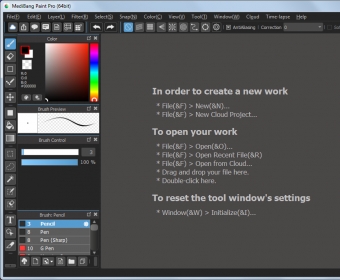
MediBang Paint Pro is intended to help you create your own artwork. This program is specifically suitable for creating comics, particularly animes. Its interface looks quite similar to those of other painting software: there is a canvas as a central element surrounded by the toolbox, the menu and the properties box.
The program supports importing a varied array of picture formats, which you can open directly from a local folder as well as from the Cloud. Luckily, there is a great collection of textures you can download from the developer’s site as well. It is possible to start from scratch or by pasting the contents of the clipboard. The great news is that it allows working with layers, which are crucial if you are creating a complex painting.
This painting program comes with multiple painting tools. There are brushes of different shapes, of which you can control size, opacity, color and blending mode. When working with perspective views, you can get a great help if you use snaps, including parallel, crisscross, vanishing point, radial, circle, and curve. Besides, you can use erasers, fill tools and gradient modifiers. Similarly, the program includes various selection tools, like the Magic Wand. Moreover, it is possible to add formatted text. Finally, you are allowed to apply such effects as blurs, textures, etc. more






Comments